
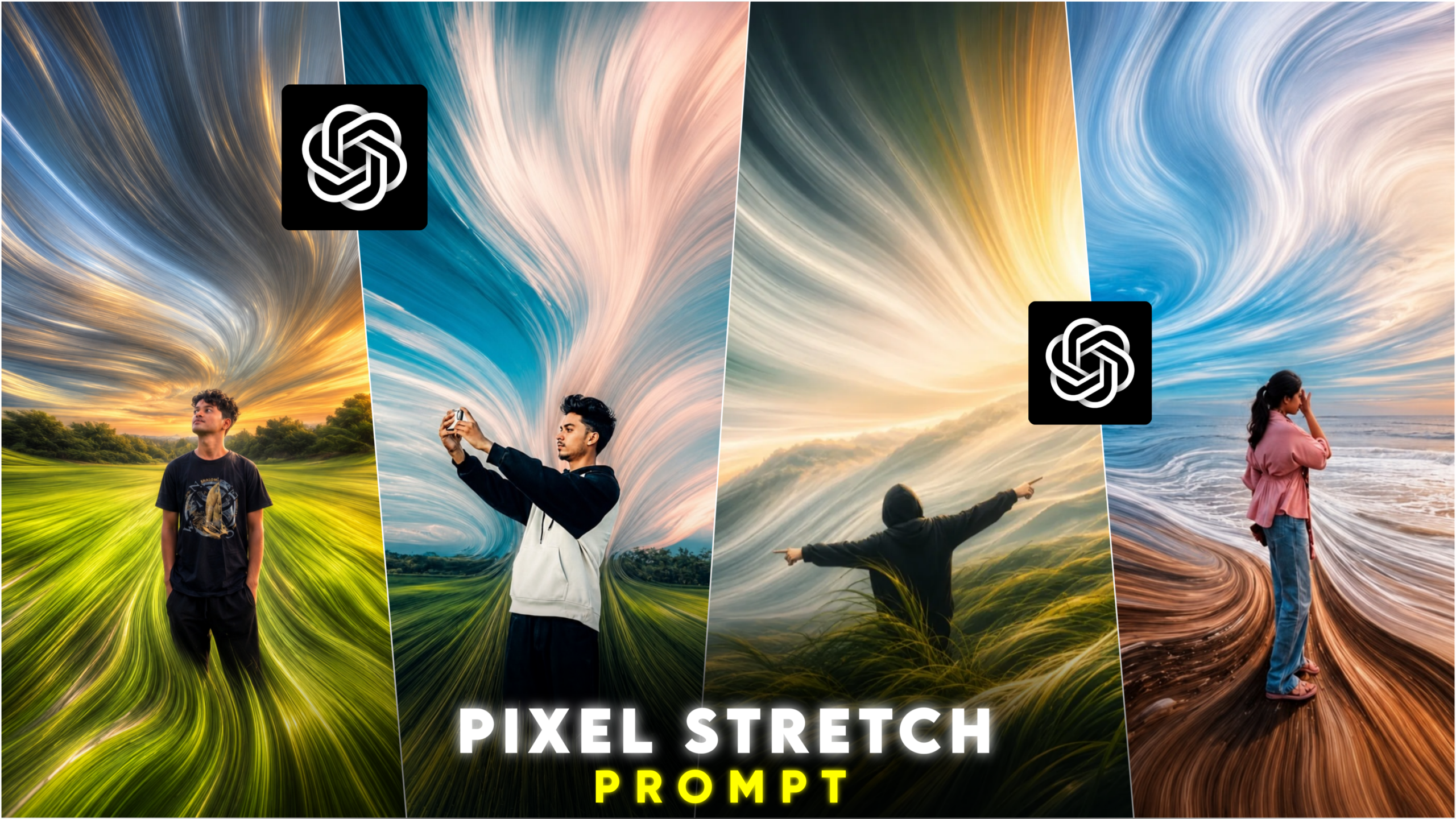
Trending Pixel Stretch AI Photo Editing
Hello friends, how are you all? I hope you are doing very well. As you likely know, AI-generated photo editing has become a massive trend across social media platforms these days. Instead of editing photos manually, almost everyone is now using AI to achieve results with just a single click in very little time. In the past, professional graphic design required hours of work, and even then, the results often didn’t quite match one’s vision; however, thanks to Artificial Intelligence, this can now be accomplished quickly. The resulting photos look incredibly realistic and beautiful. One of the latest trends taking social media by storm is “Trending Pixel Stretch AI Photo Editing.” This style transforms an ordinary photo into a professional, cinematic, and creative piece of art. Such images are gaining immense popularity on platforms like Instagram, Facebook, and Pinterest. People who create and post these AI-generated images—or share them on their stories—are receiving a huge number of likes and comments, which in turn boosts their follower count and profile reach. So, in this article, I will teach you how to create these edits yourself using AI—quickly and with just a single click. If you want to master this editing style, make sure to read this article carefully from start to finish without skipping a beat; I will explain exactly what to do using a very simple method. Let’s get started!
What is the trending “pixel stretch” AI photo editing?
Friends, this trending “pixel stretch” AI photo editing is currently one of the most popular trends on social media. Creators of all levels—from beginners to established influencers—are making these images and posting them on various social media platforms. These photos look incredibly creative, and thanks to AI, creating them has become very easy—a task that used to be time-consuming when done manually using traditional apps. Anyone can create these edits with just a single click, even without prior editing skills.
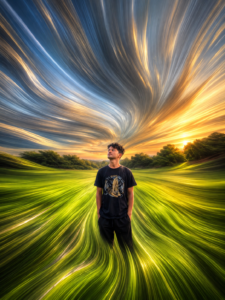
In these photos, the main subject remains unaltered and clearly defined so it stands out distinctly. Meanwhile, the background—incorporating various colors, textures, and lighting—is stretched to create a creative, artistic look. This effect extends the background elements (colors, textures, and light) into a flowing or painting-like style, giving the photo a premium, artistic aesthetic. For instance, imagine a photo taken by the sea with a sunset and ocean water in the background; AI can transform that background—the sea and the sunset sky—into a flowing, painting-style composition. You can apply this editing style to any background—such as nature scenes with trees, seaside views, open fields, or village settings. If you first enhance the background colors using apps like Lightroom, Snapseed, or PicsArt, the final “pixel stretch” AI edit will look even more professional and creative.
Why is this “pixel stretch” AI photo editing currently so popular?
There are several reasons behind the popularity of this trending “pixel stretch” AI photo editing style:
1. Professional and Creative Look
Photos created with this editing style look incredibly creative. The stretched background effect lends a unique aesthetic to the image, making it appear truly professional and artistic.
2. Cinematic Look
This “pixel stretch” style gives photos a cinematic quality, adding depth and a dramatic flair. You may have noticed similar editing techniques used in movie posters. The combination of lighting, color, and motion effects in the background makes the image visually striking and eye-catching.
3. Popularity on Social Media
You have likely noticed the immense popularity of this editing style on social media. Creators—from beginners to established influencers—are applying this technique to their photos; as these images go viral, they reach a vast audience. Seeing others create these images inspires people to try it out for themselves.
4. Use of AI
You may know that creating these types of edits used to be very difficult using manual apps like PicsArt, Adobe Photoshop, or Canva. While it was possible, the process was extremely time-consuming and demanded great patience from editors. However, the advent of AI has eliminated these challenges, making it incredibly easy to create these kinds of edits today. Creating these types of photo edits takes very little time now; if you use the right prompts and the right photos, you can have AI generate them for you in just a few seconds.
Here are some tips for creating these kinds of photo edits:
1. Friends, always use a clear photo where your face is easily visible. Ideally, use a full-body shot (head-to-toe) for the best results, though using a half-body shot is also perfectly fine.
2. When using AI to edit these photos, make sure to provide a detailed prompt. The more well-crafted and descriptive your prompt is, the more impressive the final edit will be. I have provided a ready-to-use prompt below that you can try out; I have used it myself and achieved excellent results. I hope it works well for your photo edits too.
THE PROMPT 👇
Create a premium cinematic pixel-stretch
 artwork while keeping the main subject
 perfectly sharp, realistic, and fully
 recognizable. Extend the subject's colors,
textures, and lighting into smooth, flowing
 pixel ribbons with elegant curves and
dynamic motion. Ensure seamless blending
without glitches or harsh edges. Make the
 stretched pixels appear fluid and organic,
 like streams of light, paint, or energy.
Maintain realistic shadows, depth, HDR
lighting, and vibrant color harmony. Apply
a luxury Adobe Photoshop-style pixel stretch
 effect with ultra-sharp details, modern
minimalist composition, and gallery-quality
8K digital art finishing.
3. Here are two of the best AI apps for creating these types of photo edits—using them makes the process very easy:
1. ChatGPT AI
2. Google Gemini AI
Photo editing with these apps is currently very simple, and they are widely used. Also, if you are a desktop user, that is not an issue; you can access their websites through any web browser.
How to create this trending ‘pixel stretch’ AI photo edit:
Friends, to create this type of photo edit, I recommend using either ChatGPT or Google Gemini. You can open either one, as the process is virtually the same for both. If you are visiting these AI platforms for the first time, make sure to sign up using your email address. Next, look for the ‘plus’ (+) option, click on it, and select the photo you wish to edit. Once selected, copy the prompt I have provided and paste it into the input field labeled “Ask ChatGPT” or “Ask Gemini.” Then, click the ‘Send’ or ‘Generate’ button, and the AI will create your edited photo within moments. Finally, to save the image, click on the photo itself; you will see a ‘Save’ option at the top—click it to save the photo to your gallery.
By following these simple steps, you can easily transform your photo into a trending ‘pixel stretch’ AI edit.
Conclusion—
Friends, the trending “pixel stretch” AI photo editing style is more than just a technique; it is a creative design approach that gives an ordinary photo a professional and premium look. Previously, creating such edits required manual effort using various apps—a process that was quite time-consuming. However, thanks to AI, creating these types of edits has now become incredibly easy. The popularity of AI-based photo editing is steadily growing among people, and this trend is set to become even more widespread in the future. So, that’s all for today’s article; see you in the next one. Stay well and stay healthy.
