
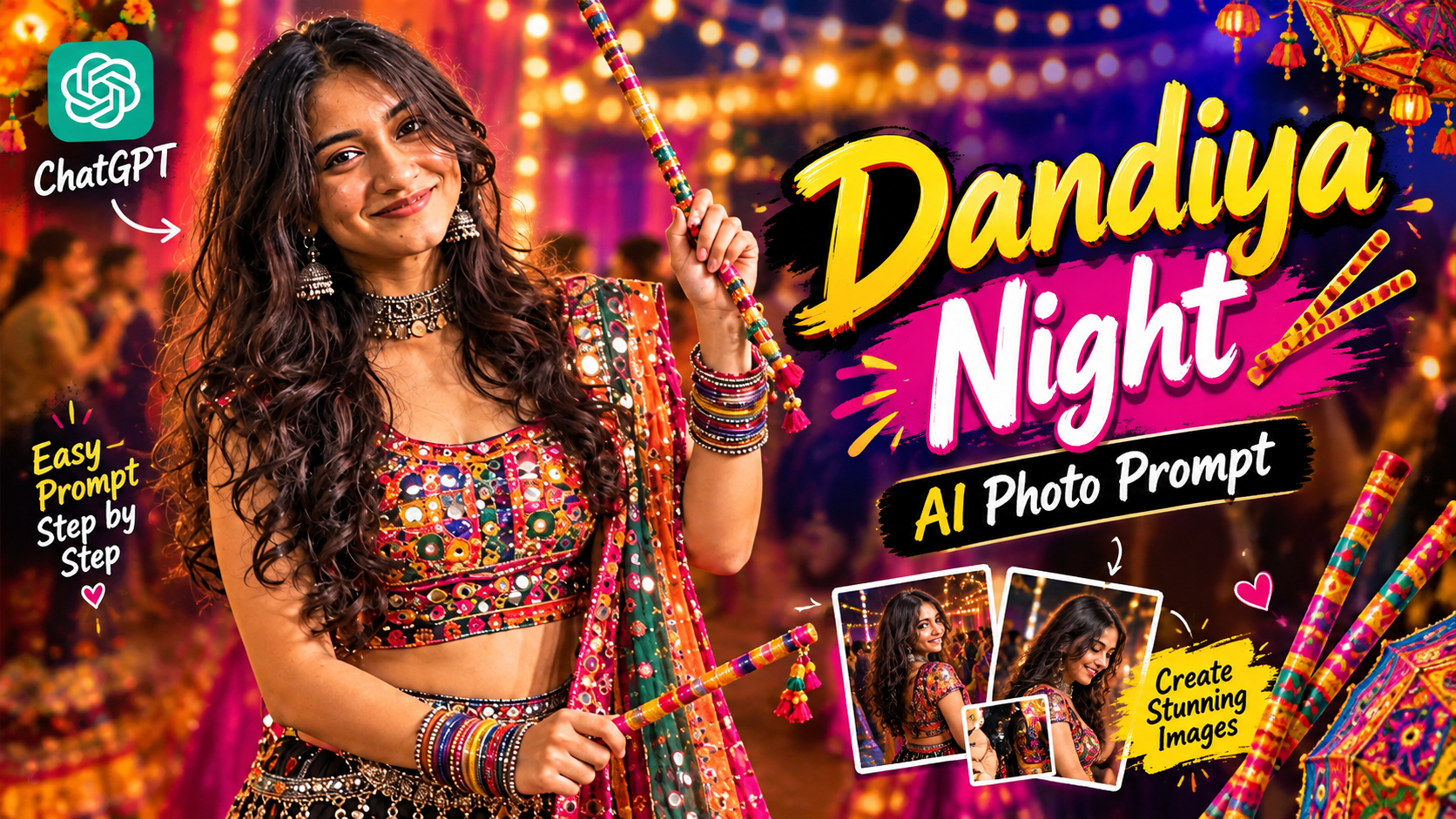
Dandiya Night AI Photo Prompt-Have you ever wanted a photo from a Dandiya Night—surrounded by lights and colorful decorations, holding Dandiya sticks, and looking like you are truly immersed in the festivities? The problem is, it isn’t always possible to attend a Dandiya Night, and even when you do, finding the perfect spot or a beautiful background for a great photo can be a challenge. If you’ve faced this issue, I’ve found a solution: using AI, you can transform a regular photo into a festive Dandiya Night image. The example I’ll show you features a woman standing with Dandiya sticks, dressed in colorful traditional Gujarati or Garba-style attire. The scene is filled with lights and a beautifully decorated pavilion-like setting, with other people playing Dandiya in the background, capturing the joyful spirit of the festival. You can create this exact look with your own photos, too.
Dandiya Night AI Photo Prompt
You might be wondering, “Can I just upload any photo?” Well, you could try, but not all photos will yield the same results. For instance, if you have a selfie where your face is clear, the lighting is decent, and most of your face is visible, using that kind of photo increases your chances of getting a good result. It is best to avoid very dark selfies, photos with heavy filters, or images where parts of your face are obscured. If you use a full-body or half-body shot, it can be relatively easier for the AI to generate a new scene based on your outfit and body posture. I would recommend using a high-quality half-body photo. Along with the photo, you will need an AI prompt—this prompt will contain all the details about the kind of image you want to create. I will explain exactly how to do that.
What does the ‘Dandiya Night’ girl’s picture feature?
If you take a close look at the reference image I used, you will easily notice a few key details. A girl is standing in the center, holding Dandiya sticks; she is dressed in a colorful outfit typical of a traditional Garba or Dandiya night. The attire features vibrant designs, small shimmering accents resembling mirror-work, and intricate embroidery. She is wearing a necklace, traditional earrings, and multiple bangles. However, it isn’t just the outfit that makes the image beautiful—the background plays a crucial role. The scene is filled with warm lighting, colorful decorations, and a festive atmosphere. Other people dressed in Dandiya or Garba attire are visible in the background, transforming
The image from a simple portrait into a scene that truly captures the spirit of a Dandiya night. I imagine that after seeing this, you’re eager to create a similar image yourself. So, don’t wait—go ahead and use my prompt right now.
How To Use Dandiya Night Photo Prompt?
I have provided the main prompt for you. You can simply copy and use it after uploading your own photo. The prompt aims to capture a colorful and festive Dandiya Night atmosphere—similar to the reference image—while ensuring your face and overall appearance look natural. We are using ChatGPT as the AI tool for this. Here are the editing steps
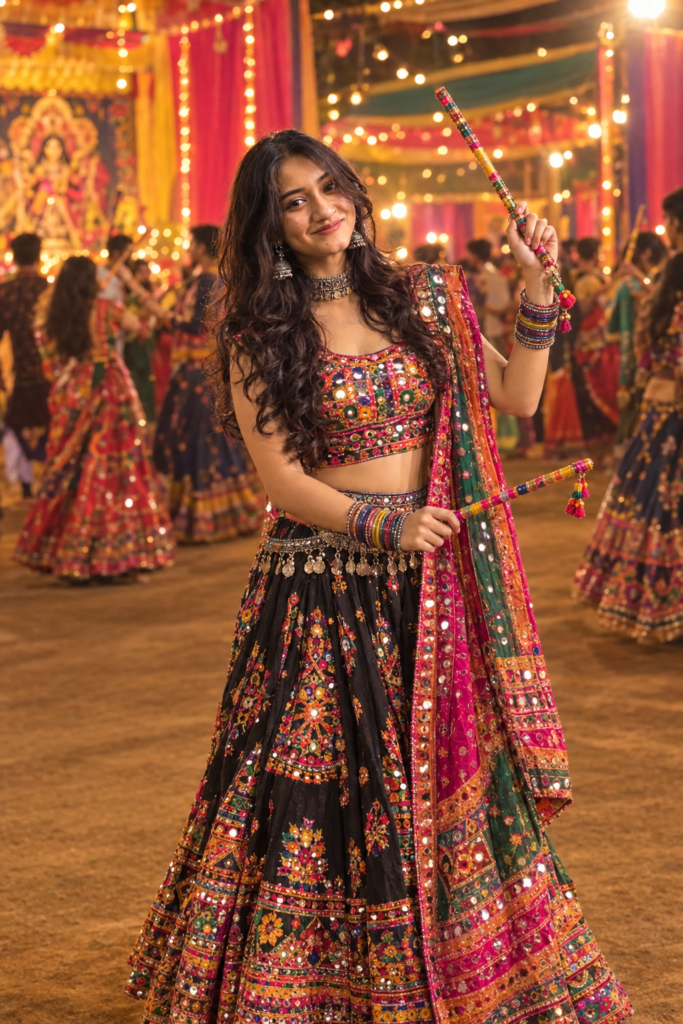
Create a realistic, high-quality
Garba/ Dandiya night portrait using
the reference image. Keep the face
and facial features exactly the same,
with natural skin texture. Give her
long, voluminous curly hair, elegant
 eye makeup with defined eyeliner,
 soft blush and glossy pink lipstick.
Dress her in a vibrant traditional mirror-work
Gujarati lehenga choli with a colorful embroidered dupatta, oxidized silver jhumkas, choker, bangles and waist belt. She is holding colorful decorated dandiya sticks in a graceful Garba pose. Set the scene at a beautifully decorated Navratri Garba venue with warm fairy lights, colorful drapes and people dancing softly

blurred in the background. Cinematic
lighting, realistic photography,
full-body composition, sharp details,
natural proportions, festive and elegant
vibe
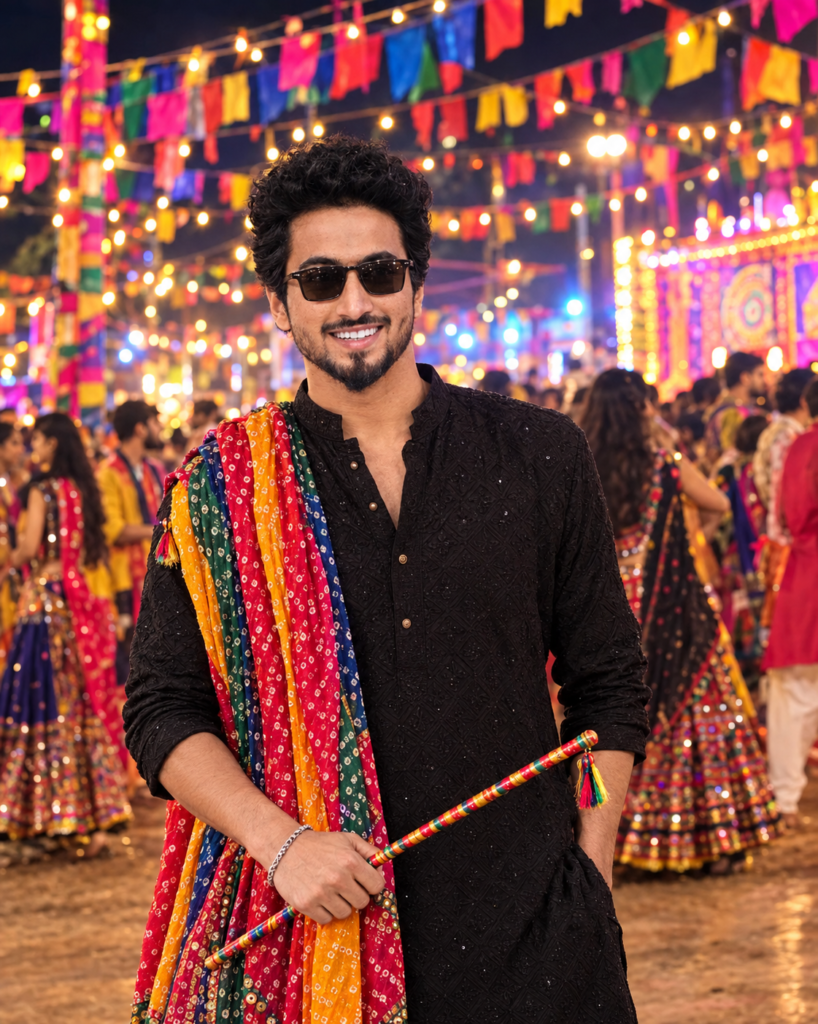
Ultra realistic 8K vibrant festive
night scene, young man (same as
uploaded photo and don't change
hairstyle and facial expressions)
standing in traditional navratri
special black kurta with colorful
Gujarati bandhani dupatta, stylish
sunglasses, holding a dandiya stick,
confident pose. Background filled
with bright multicolor flags,
fairy lights, festive crowd,
dramatic depth of field, cinematic
lighting, hyper detailed textures,
sharp focus.
1. First, open ChatGPT and click on the ‘Plus’ option.
2. Upload a clear photo of yourself.
3. Next, copy and paste the Dandiya Night prompt provided above.
4. If you wish to customize the outfit color or background, feel free to modify those specific parts of the prompt.
5. Finally, click the ‘Send’ button, and your photo will be generated.
Overall
Once you’ve created a Dandiya Night AI photo. You can use it in various places—such as your Instagram profile picture, a Facebook post, or a WhatsApp status. For instance, if you couldn’t attend a Dandiya Night event in person but still want to share a festive photo. You can create one using your own image and post it on social media. If you want to make an Instagram Reel. You can ask for a 9:16 vertical version of the same photo. Or choose a different aspect ratio for Facebook or standard posts. To keep your facial features consistent, use a clear reference photo. And specify in the prompt that the facial identity should remain unchanged. Do let us know the results you get after creating your image using this Dandiya Night AI photo prompt.
