
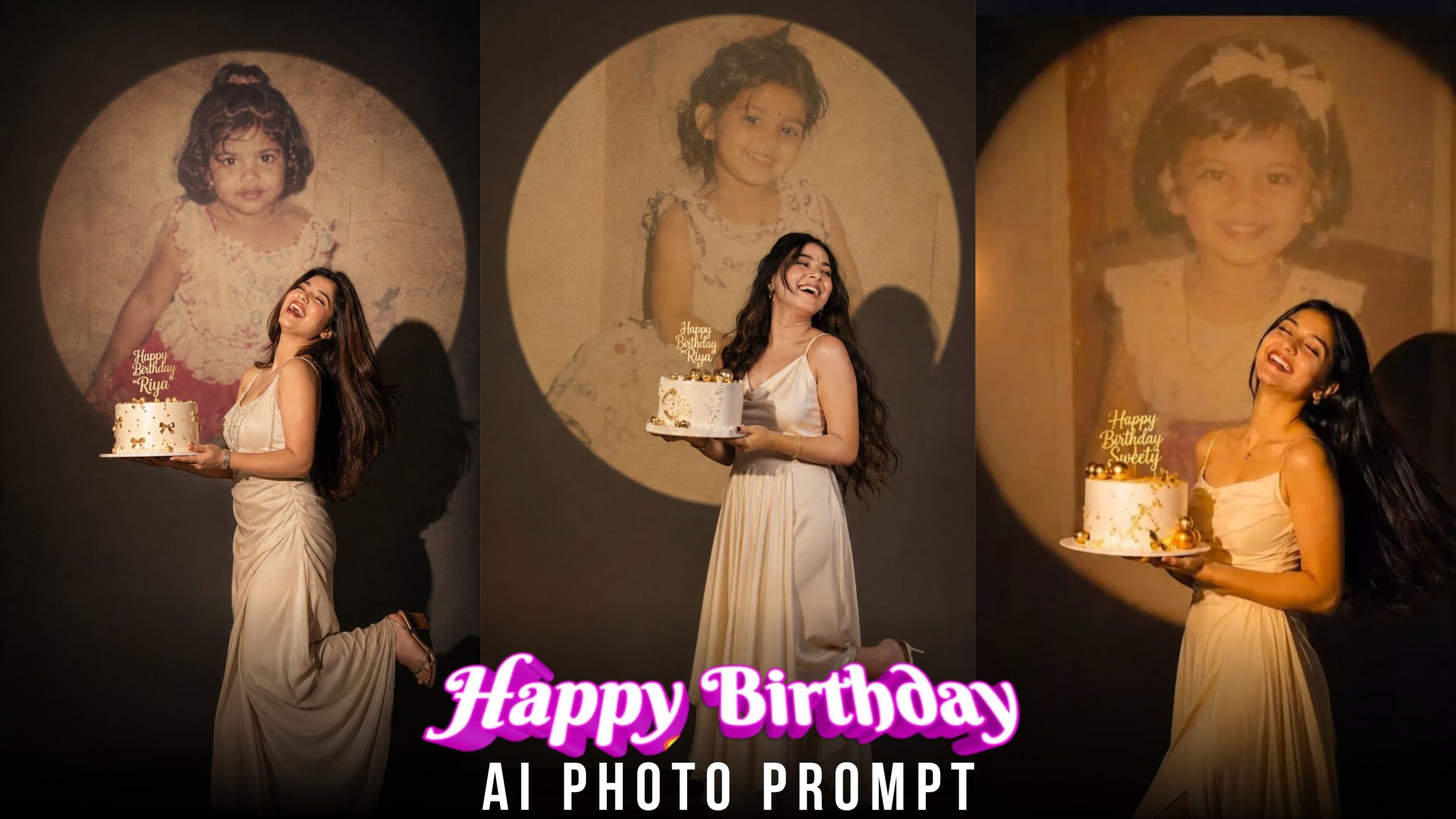
Happy Birthday Ai Photo Prompt -Today’s article is special for everyone because today I will teach you an AI photo editing that can be useful for you once or many times a year. Do you or any of your friends or relatives have a birthday once a year? We always text or wish with a photo. If we don’t do this, how would it feel if we wished with a beautiful photo? Today I will give you an AI photo prompt for Happy Birthday that you can use to make a beautiful photo. You can just put the photo on the story or cake, or print it out and give a surprise. If you make such a photo, any person will be surprised. If you want to create such a photo, then you must see this post from the beginning to the end.
Happy Birthday Ai Photo Prompt
Now if it’s not someone’s birthday, save this video so that you can use this prompt later to create a photo for the birthday. Let me tell you a little about what this birthday photo looks like. Before I go, let me tell you about the model. She is a young woman wearing a beautiful white cream slipless dress. She has long black hair and a bright smile. And she is holding a white birthday cake decorated with gold decorations. There is a gold topper on top of the cake that says “Happy Birthday Sweety”. Now let’s take a look at the background of the model. There is a large round projection or screen in the back. There is a picture of her childhood being displayed there (a picture of a little girl). The overall background is black and dark. The lighting is set to warm gold and amber colors which creates a romantic and festive atmosphere. This was the whole photo. If you want to create this photo, then see the steps I have given.
Where can I find the Happy Birthday prompt?
To make this happy birthday photo, we will need an ai photo generator app. We will get the ai photo generator app but it is a little difficult to get the prompt. We can get the prompt in two ways. First, we have to create the prompt ourselves. Suppose you want to make a photo, then you have to see what kind of photo you want to make, you have to write the photo background, model, everything. And the 2nd way is that you can copy the prompt, like you will get the prompt in my post, copy it and use it. In the same way, open Google and write the name of that photo style and say this photo prompt, for example, I wrote Happy Birthday Ai Photo Prompt, write this, I will do a Google E search, visit the website, there will be a prompt given, I will copy it. In this way, we will take any photo prompt
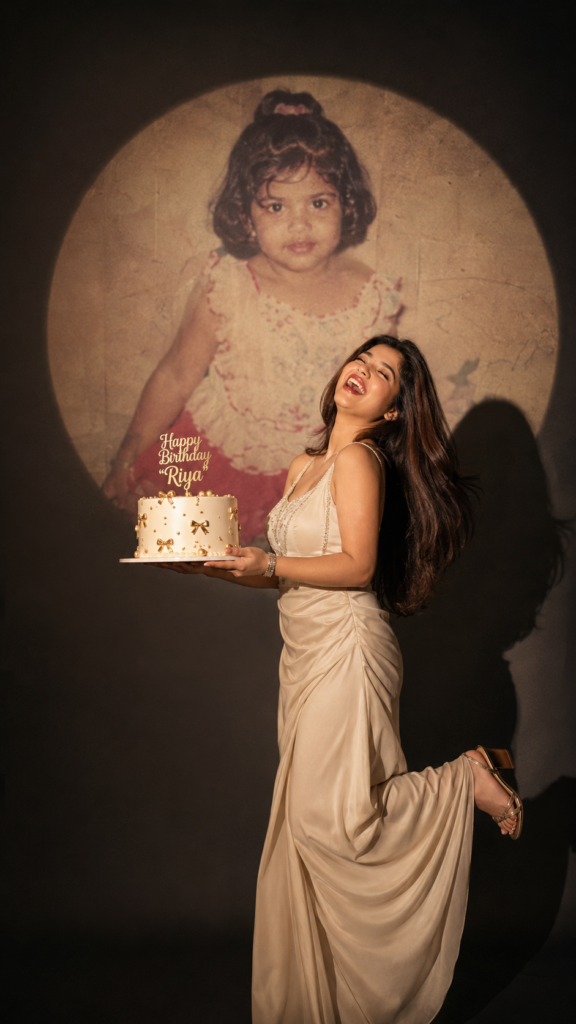
Create ultra-realistic cinematic
birthday photoshoot, vertical
9:16 composition, elegant
studio with a dark background
and a large circular spotlight
projection on the wall. Inside
the spotlight, a faded vintage
childhood photo of the same
girl(the reference image 2nd
given)appears as a nostalgic
memory, slightly transparent
with old photo texture and
soft blur. In the foreground,
the present-day version of the
same woman(the reference image 1st given) wearing a cream long gown, holding a white birthday cake decorated with gold accents with a “Happy Birthday "WRITE YOUR NAME ” topper. She is laughing joyfully with her head tilted back, eyes closed, natural smile, long silky dark hair flowing behind her, one leg slightly raised in an elegant pose, cinematic shadow cast on the wall, warm
soft spotlight lighting.
Create Your Image
How To Create Happy Birthday Ai Photo Using Chat Gpt ?
You can select an ai photo generator where you can generate photos like chat gpt, Meta Ai, Google Gemini.
- Install and open the app
Once the app is installed, open it. If you are using it for the first time, sign up or login with your email address.
- Select photos
Find the plus (+) button at the bottom of the app and click on it. Then select the “Photos” option. Now your phone’s gallery will open and you can select any photo that you want to edit in Happy Birthday style.
- Paste the prompt
This is the most important step. Copy the Happy Birthday prompt that I am giving and paste it in the chat box of the app. Then hit the enter or send button.
- Get the result
Within a few seconds to a few minutes, AI will create your edited photo in Happy Birthday style. The photo will be displayed on the screen.
- Save the image
The last step is to save the image to your phone’s gallery by clicking on the save option. Now you can use this beautiful image anywhere – share it on Instagram, Facebook, WhatsApp, or any other social media platform.
Conclusion
Friends, Happy Birthday photo editing is very popular these days, when it is Birthday, he is posting such photos on Instagram. Using the prompt that I am providing in this article, you can create a beautiful Happy Birthday picture for yourself or your loved ones in just one click. If you do not understand everything well the first time, then read it again. If you follow all the steps step by step, you will definitely succeed. And If you liked your article, let me know in the comments.
