
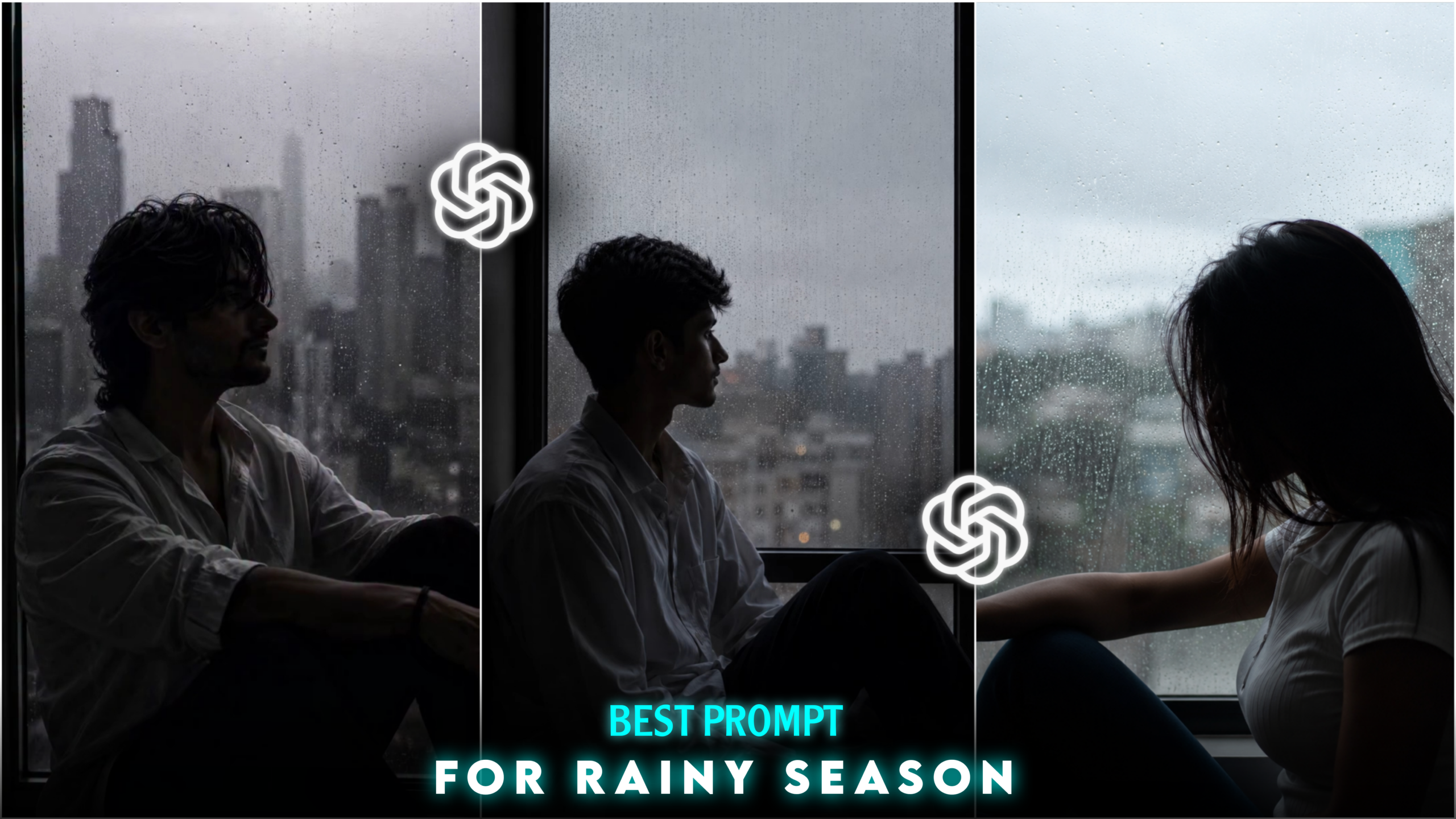
Cinematic Rain Portrait Prompt
Hello friends, I am back with another new article. You are likely aware of how significant AI-based photo editing has become these days. In the past, manual photo editing apps were time-consuming to use, but the advent of AI has made it possible to edit photos in an instant. People are now using various AI tools to create trending photo edits for themselves. When these photos are uploaded to social media—especially Instagram—they often go viral, garnering a huge number of likes, comments, and shares. A new trend has recently emerged in the world of social media photo editing: creating “Cinematic Rain Portrait Prompt” edits using AI prompts. As you know, it is currently the monsoon season. Going outdoors for a photoshoot during this time can be difficult due to bad weather; issues like getting wet or facing other inconveniences often prevent you from getting the shots you want. However, AI eliminates these problems entirely, allowing you to edit your photos exactly the way you envision. This specific editing style features a subject positioned near a window, with the glass revealing heavy rain outside; it is an indoor photography style characterized by a moody tone or effect. If you want to learn this photo editing technique, be sure to read this article carefully from start to finish. You will find it very easy to master this style. So, let’s get started with today’s article.
What is- Cinematic Rain Portrait Prompt ?
First, let me explain what a “prompt” is.
A prompt is essentially a specific instruction written for an AI, detailing exactly what you want the AI to create. The better and more clearly you craft this prompt—describing your vision—the more precisely the AI will generate the desired result. In this article, I have provided a ready-to-use prompt below that you can use to create these “Cinematic Rain Portrait” images.
Now, let’s talk about what a “Cinematic Rain Portrait” actually is.
The Cinematic Rain Portrait is currently a popular photo editing style, especially fitting for the monsoon season. You can easily create this look with the help of AI. Since it is the rainy season, going outdoors for a photoshoot can be difficult due to unpredictable weather. However, the Cinematic Rain Portrait is an indoor style; you don’t need to step outside. You can transform a simple photo of yourself into this style with just one click—using the prompt I’ve provided and an AI app or website—all from the comfort of your home.
Let’s look at the typical elements of a Cinematic Rain Portrait.
These photos usually feature a person (a boy or a girl) facing and looking out through a glass window. While the view outside is visible through the glass, the editing adds prominent raindrops to the windowpane. Various cinematic lighting effects, moody color tones, and vignette effects are used to evoke a sense of sadness or melancholy, creating a “sad vibe” in the image. If you are looking for a photo editing style that captures a rainy day mood with a touch of melancholy, this is the perfect choice for you. Below, we explain why this type of photo editing is currently so popular.
Why is the Cinematic Rain Portrait prompt so popular right now?
Friends, there are several reasons why this “Cinematic Rain Portrait” prompt has become so popular:
• Cinematic Look: These photos feature a distinct cinematic aesthetic that looks incredibly beautiful and unique. They often seem to hold a hidden story—much like a movie scene. For instance, the use of a “sad vibe” in the editing can make it appear as though a sorrowful tale lies behind the image.
• Rain in the Background: With the monsoon season here, many people want photos taken in the rain but worry about falling ill. However, by learning this editing technique, you don’t need to get wet at all. You can transform a simple photo taken at home into a “rainy” shot using AI in just a few seconds. That is why so many people are opting for this style of editing during the monsoon season.
• AI-Powered Creation: You can easily create these images using AI. Simply take a standard photo of yourself and use the specific prompt I’ll provide within an AI app; with just a single click, you can apply this rainy background to your image. There is no need for an outdoor photoshoot, which is why so many people are turning to AI to create these kinds of photos.
• Social Media Influence: Since so many people are creating these AI-generated photos and sharing them on their profiles and stories, others are seeing them and getting inspired to create their own. Furthermore, those who post or share these images often receive a high number of likes and comments.
What do you need to do this type of photo editing?
Friends, the things you need to do this type of photo editing are-
1. A photo of yourself
2. An Ai prompt
3. Any Ai app or website
With these three things, you can convert your ordinary photo into that type of Cinematic Rain Portrait editing.
I have provided the required prompt for you below.
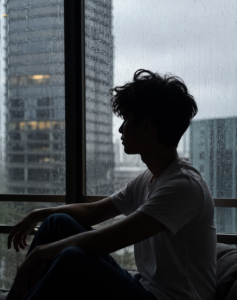
THE PROMPT 👇
A cinematic silhouette portrait of
 a young man quietly sitting beside
 a large rain-soaked window. His
face remains completely hidden in
 shadow, revealing only a clean
side profile against soft daylight.
Slightly messy hair, wearing a
simple white shirt. Rain droplets
 on the glass create a calm, emotional
 mood with a modern loft vibe.
 Natural diffused lighting, realistic
reflections, shallow depth of field,
ultra-realistic photography, crisp textures,
captured with a 50mm lens, high detail,
vertical framing, Instagram portrait size .
So friends, let me explain how you can edit this photo-
First, copy the prompt I have provided. Once copied, go to any AI application and upload your photo. After uploading, paste the prompt below the photo and click the ‘Send’ or ‘Generate’ button. The AI will then create the image for you shortly. Finally, click on the generated photo, select the save option, and save it to your gallery.
Here are some ways you can use these types of photos:
1. As an Instagram profile picture (DP) or post, or to create videos for Instagram Reels.
2. As a Facebook profile picture or cover photo.
3. As a YouTube profile picture or banner.
4. As your phone wallpaper.
5. To practice your photo editing skills.
You can also use them in various other ways according to your preference.
Here are some tips for creating these types of edited photos:
1. Always try to use a clear, well-lit photo of yourself. Avoid shooting the photo you intend to edit in a dark environment; instead, ensure there is adequate lighting. Use a sharp, clear image without any “fade” effects, ensuring your face is clearly visible.
2. Use a detailed prompt that clearly describes exactly what you want the AI to create. You can write your own prompt, or use the one I’ve provided to achieve excellent results.
3. I have listed the AI apps you can use for this type of photo editing below. Using them will yield great results:
• ChatGPT AI
• Google Gemini AI
These are currently the most popular AI tools for photo editing. They produce incredibly realistic edits—so much so that it is often impossible to distinguish between an AI-edited photo and one edited by a human. So, I would suggest that you use either one of these two AIs—or even both—and then choose the one that yields the best results for you.
Overall—
Friends, this “Cinematic Rain Portrait” prompt allows you to easily transform a standard photo into a highly realistic cinematic rain portrait using AI. Photos created in this style are currently going viral on social media; if you create and upload one yourself, there is a strong chance your photo could go viral too. This style features an indoor photoshoot aesthetic, enhanced with premium touches like varied light color tones and moody effects. Everyone is creating these images because they capture the unique atmosphere of a rainy day. If you want to create a rainy-day photoshoot or edit a photo for the monsoon season, this “Cinematic Rain Portrait” style is the perfect choice. That’s all for today’s article—see you in the next one!
