
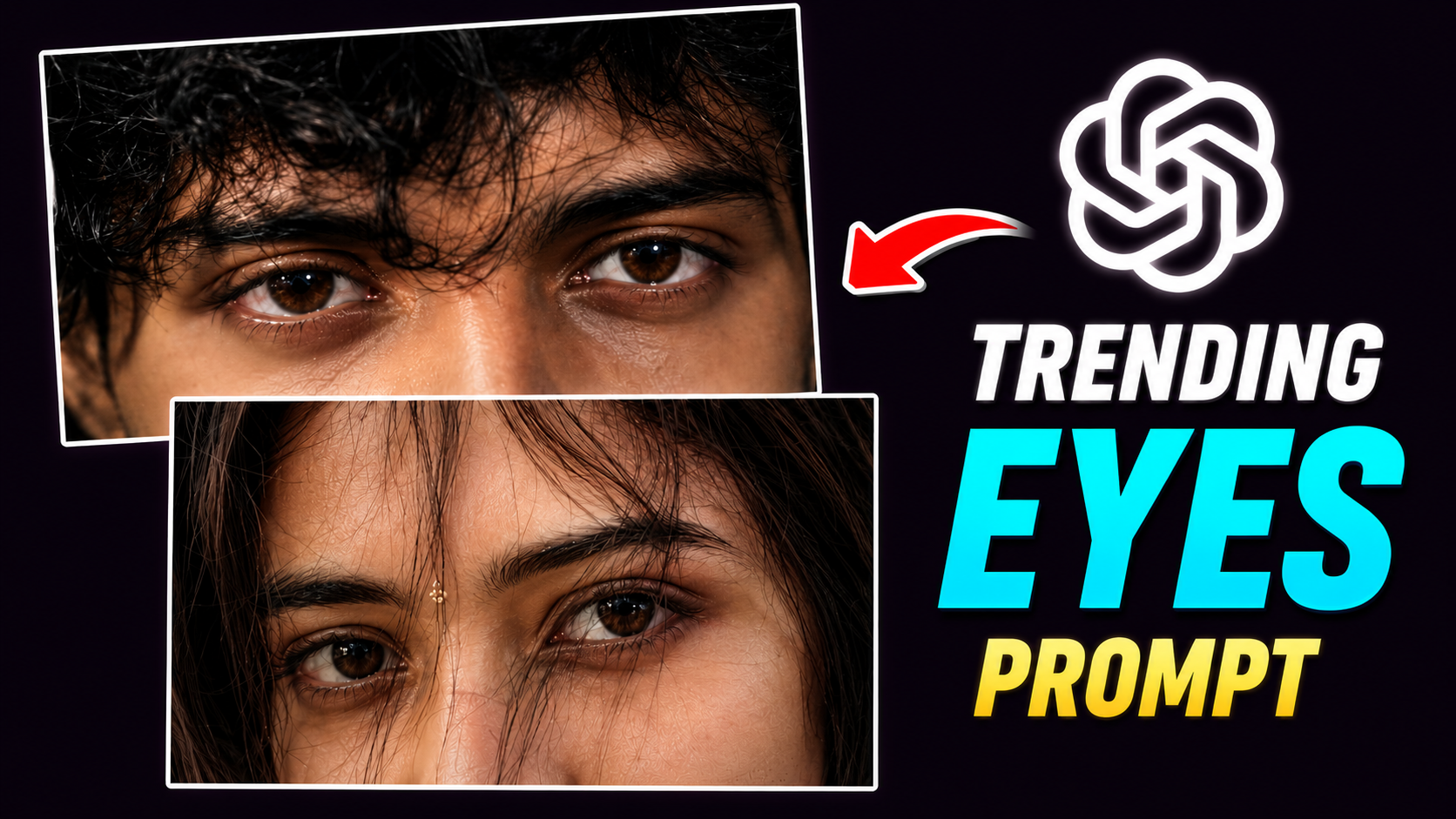
Trending Eyes photo prompt
Hello friends, how are you all? I hope you are doing great. I am back with another new article for you, and today’s piece focuses on a very trending topic. You are likely aware that various creative trends—such as unique photo and video editing styles—are currently going viral on social media. Among these, AI-based photo editing has become particularly popular. You know how significant AI photo editing has become; tasks that used to take a long time to do manually—often without yielding the desired results—can now be completed in minutes with the help of AI. So, in this article, I will teach you one of these trending AI photo editing styles. Using the “Trending Eyes” photo prompt discussed here, you can transform any ordinary photo of yourself into a cinematic image featuring stylized eyes—all with just a single click. This editing style is currently taking social media by storm, especially on platforms like Instagram (in both posts and Reels). Users who create and upload these AI-edited photos often see them go viral. If you want to learn this AI photo editing technique, be sure to read this article carefully from start to finish. I will guide you through the process step-by-step. Let’s get started with this amazing article!
What is the “Trending Eyes” photo prompt, and what are its features?
Before explaining what the “Trending Eyes” photo prompt is and its features, let me first clarify what a “prompt” actually is. A prompt is essentially an instruction given to AI to perform tasks like photo or video editing. Once you write and send this prompt to the AI, it understands exactly what you want to create or achieve. By using prompts, you can get the AI to perform a wide range of tasks. The more detailed your prompt is, the better the AI will execute the task and deliver the desired result.
Now, let’s discuss the “Trending Eyes” photo prompt.
Currently, AI-generated photo edits are going viral on social media, and the “eye-focused” photo edit is particularly popular. The “Trending Eyes” photo prompt is one of the specific prompts used to create these viral AI edits. With this prompt, you can transform an ordinary photo of yourself into a stunning, cinematic image focusing on your eyes—all with just a single click and in very little time. I have provided the prompt for you below.
EYES PROMPT 👇
Use my uploaded photo as the only identity
 reference. Keep my face 100% identical—preserve
my eye shape, iris, eyebrows, eyelashes,
skin tone, nose bridge, forehead, hairline,
 messy bangs, and all facial proportions without
 any beautification or changes.
Create an ultra-realistic cinematic
 extreme close-up of only my eyes and
upper nose bridge. Match the original
 framing, perspective, camera distance,
and 16:9 horizontal crop. Keep my messy
hair naturally covering part of my eyes.
 Use soft moody  lighting, realistic
skin texture, subtle film grain, muted
 colors, and avoid AI-looking skin or
 oversharpening.
Teri aankhon ki LYRICS
And friends, regarding the video editing featuring this eye photo—which is currently going viral on Instagram—I have provided the link above to the song lyrics used in it.
Why are these types of eye photos currently so popular?
There are several reasons behind the popularity of these eye photos. Since they utilize a cinematic style of photography or editing, they possess the ability to tell a story, much like a movie. Furthermore, as these images go viral on social media—reaching millions of people through Reels or short videos—viewers are inspired to create similar content themselves; this is a key factor in their popularity. Another reason is the ease of creation; people can generate these images effortlessly using AI, avoiding the laborious manual editing processes that used to be time-consuming. With the advent of AI, creating professional-quality images no longer takes long, and the technology delivers flawless, precise results. The fact that AI produces such realistic and perfect eye edits in a very short time has made this trend widely popular.
What do you need to create these types of photos?
Friends, here are the essentials required for this kind of photo editing, listed below:
A photo of yourself –
To create these images, the first thing you need is a clear photo. You can take this using either your selfie camera or the rear camera of your phone. Just ensure the photo is sharp and well-lit; avoid photos that are too dark. It is also better to use a “half-shot” (framing from the chest up) rather than a full-body shot, as the focus here is on the eyes. Using a closer shot allows the AI to analyze your eyes more effectively and produce a more precise edit.
An AI prompt –
I have provided the “Trending Eyes” photo prompt earlier in this article; you can simply copy it from there. Alternatively, you can write your own prompt. However, the prompt I provided contains detailed instructions for the AI on how to execute this specific edit. I used that exact prompt to create my own images and achieved excellent results. I hope you will get great results if you use it too.
An AI app or website –
You will need an application to perform this type of photo editing. The most popular tool people are using for this is the ChatGPT app or website. Using it will yield excellent results; I have used it myself. You can find the ChatGPT app on both the Play Store and the App Store. If you are a desktop user, you can access the website via any browser. Now, I have explained below how you can do this photo editing.
How do you edit photos using this trending “eyes” photo prompt?
To create this type of edited photo, first copy the prompt I provided above from my website. Once copied, open the ChatGPT AI app on your phone. Select the photo you want to use for this eye-editing effect and upload it to ChatGPT. Next, paste the prompt into the input field below the photo. Then, click on the “Generate” (or similar) button. Your edited photo will be ready in a few moments. Finally, tap on the image to save it from ChatGPT to your phone’s gallery. By following this simple process, you can create this trending image with just a single click.
Overall—
Friends, this “Trending Eyes” photo prompt is one of the photo editing prompts currently trending on social media. With this prompt, you can transform a standard photo into a cinematic image focusing on your eyes using AI—all with just a single click. If you post this image or create a Reel with it on Instagram, there is a very high chance your content will go viral. I hope I have clearly explained the entire process in this article. If there is anything you didn’t quite grasp, please read the article again; doing so will help you fully master this editing technique. That’s all for today’s article—see you in the next one!
