
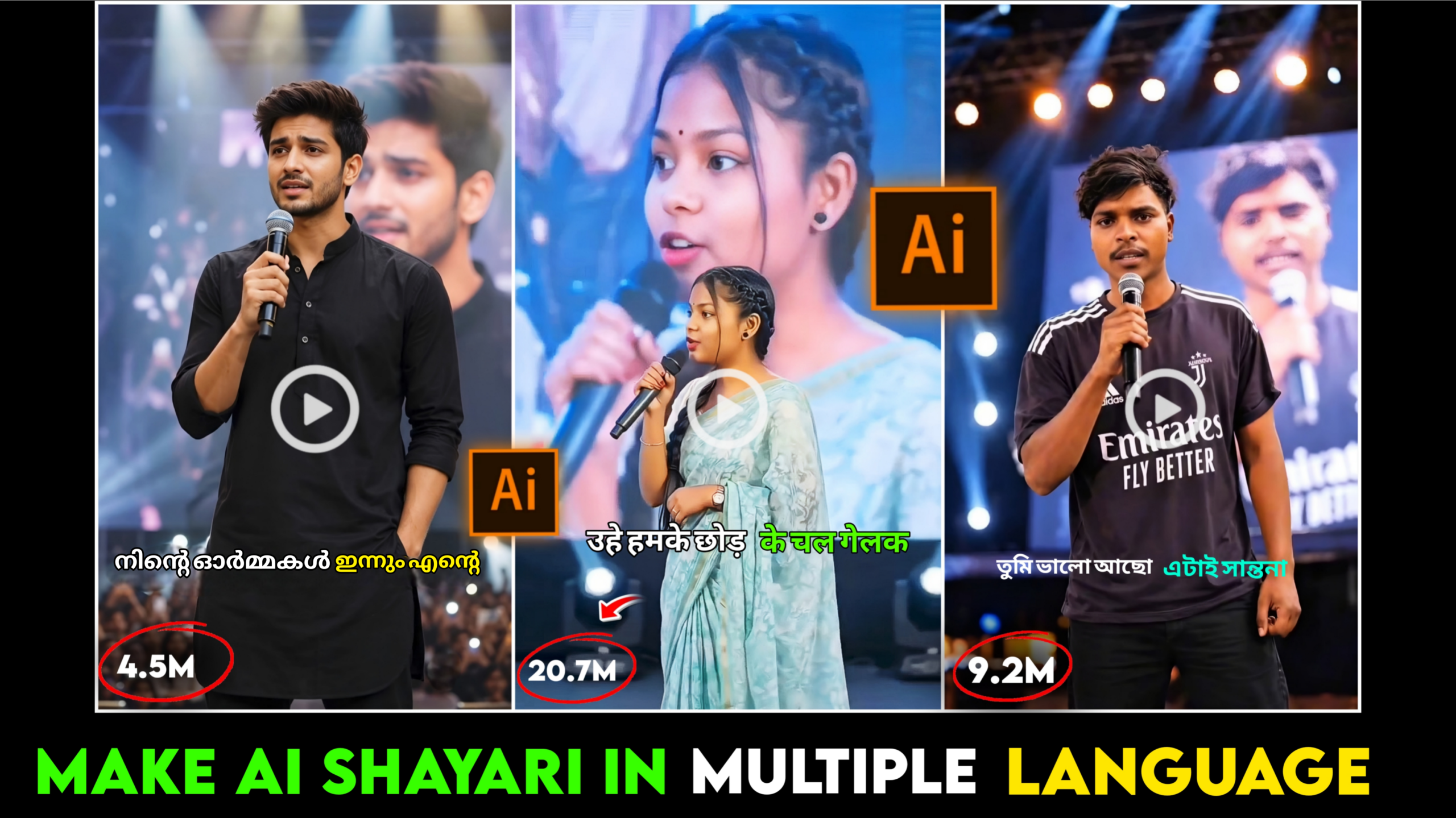
Trending AI Shayari Video Editing
Friends, various types of videos are currently going viral across social media platforms—especially short-form videos like Instagram Reels, Facebook Reels, and YouTube Shorts. Since people are watching these short videos so avidly, they are frequently trending. Reels created using AI are also currently very popular in this space. One such trending format is the “Trending AI Shayari Video Editing.” Creators who make and upload these AI-generated reels to social media are seeing them go viral, garnering millions of views. Creating these reels isn’t difficult at all; you can easily produce them using AI tools. By following just a few simple steps, you can create these reels in a matter of seconds. I’ve noticed that many sources suggest complex tricks for this type of video editing, which can make the process seem daunting. I’m going to teach you a different, much simpler method—so even if you’ve never edited a video with AI before, you’ll be able to create these trending AI Shayari videos quickly and easily. So, if you want to learn this editing technique, don’t miss today’s article; read it carefully from start to finish, and you’ll master it in no time. Let’s get started!
What is Trending AI Shayari Video Editing?
Friends, “Trending AI Shayari Video Editing” is currently one of the most popular trends on social media. Those who upload these types of videos to platforms like Instagram, Facebook, and YouTube are garnering huge views, and the videos are going viral. This is a modern editing technique where the entire video is created using AI. AI is utilized to present various forms of *shayari* (poetry), verses, rhymes, and emotional sentiments in an engaging video format.
What is Shayari?
Friends, *shayari* essentially captures various events—big or small—from people’s lives and presents them concisely. It is a brief literary form that expresses human feelings, emotions, love, sorrow, laughter, and happiness through a few lines of verse.
Friends, there are various types of *shayari*, such as:
1. Sad Shayari 😔
2. Tearful/Heartbreak Shayari 😭
3. Romantic Shayari ❤️
4. Emotional Shayari 💘
5. Motivational Shayari ❤️🩹
6. Friendship Shayari 🫂
7. Attitude Shayari 🔥
…and so on.
Also, *shayari* is popular in various languages and regions.
Below, I am sharing an “Attitude Shayari” with you—a very popular Hindi *shayari*:
ना तेरी आने की खुशी
ना तेरी जाने का गम
तू चला जाएगा तो फिर
दूसरा पटाआएंगे हम ।
The current popularity of these Shayari videos—
Friends, the popularity of these Shayari videos on social media is growing day by day. This is because Shayari allows you to express your innermost, hidden thoughts to others in a concise and unique way. People often share these videos on their social media profiles—as stories or posts—to convey their state of mind during various situations. For instance, imagine a minor disagreement in a relationship leads to an argument and a temporary silence between partners; this is when such Shayari—specifically ‘sad’ Shayari—comes in handy. Sharing these videos helps the other person understand one’s feelings, often paving the way for resolving the issues between them. Shayari serves various purposes in many different contexts. Consequently, while Shayari videos have always been popular, their appeal is constantly increasing. Moreover, with the advent of AI-generated content, people can now write exactly what they feel and present it to the world through AI-created videos.
Below, I will explain how you can edit trending AI Shayari videos. But first, here is a prompt; I will describe how to use it in the next paragraph.
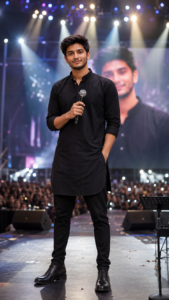
THE PROMPT 👇
Use the uploaded image as the reference
and preserve the subject's identity
 exactly, whether male or female.
Keep the face, hairstyle, skin tone,
 facial features, expression, body
 proportions, pose, gaze, clothing,
 footwear, jewelry, accessories,
logos, and all visible details
completely unchanged. Replace only
 the background with a grand professional
live concert stage. Position the
subject confidently at center stage
 holding a premium handheld microphone.
 Add a massive LED screen displaying
a softly blurred image of the same
person, cinematic spotlights, volumetric
light beams, subtle haze, realistic
audience, beautiful bokeh, natural
shadows, and shallow depth of field.
Create an ultra-realistic 8K DSLR photograph
with an 85mm lens in a
vertical 9:16 composition.
How to Edit a Trending AI Shayari Video –
Friends, to create these types of Shayari videos, here is what you will need first:
1. A photo of yourself (where your face is clearly visible).
2. An AI app or website for image generation (e.g., ChatGPT AI, Gemini AI).
3. A prompt (which I have provided above).
4. A video generation app or website (e.g., Flow AI).
5. A video editing app (e.g., InShot, CapCut).
6. Background music.
By using these six elements, you can easily edit and create a trending AI Shayari video.
Now, let me explain how to use these tools to create the Shayari video:
1. Creating the Photo –
First, open ChatGPT or Google Gemini AI on your device. Once opened, select the image you want to use as the base for your trending AI Shayari video. Next, simply copy the prompt I provided earlier in this article and paste it into the AI’s chat box. Then, click the ‘Send’ or ‘Generate’ button. Within a short while, the AI will generate your image, placing you against a live concert stage background.
2. Generating Video from the Photo –
Once the photo generation is complete, open any AI video generator website on your device. I personally use Flow AI for video generation, so I will teach you how to generate the video using that platform. You can use other AI tools as well, though the editing process might differ slightly; however, I recommend Flow AI because I have achieved great results with it. Once you have opened Flow AI, if you are visiting for the first time, make sure to sign up using an email address. Next, upload the photo you created using AI to Flow AI. In the prompt input area, type the *shayari* (poem) you want to be spoken in the video. Before writing the *shayari* itself, make sure to include a command like “Say in Hindi” (or specify the language you want the video to be in, replacing “Hindi” with your chosen language), followed by the *shayari* text. Here is an example for you:
Example –
“Say in Hindi
Na teri aane ki khushi
Na teri jaane ka gam
Tu chala jayega toh phir
Dusra pataayenge hum.”
Type this and click the ‘Send’ or ‘Generate’ option; Flow AI will create your video shortly. You can then download the video from there.
3. Add background music to the video –
Once the video is saved or downloaded, open it in any video editing app—such as CapCut, InShot, or VN. Select the background music you wish to add to the video. Adjust the music to match the video’s duration and set the volume level between 30% and 40%. Finally, save the video. Your video is now fully ready and can be uploaded to various social media platforms. By following these steps, you can create a professional, trending AI *shayari* video.
Conclusion—
Friends, creating trending Shayari videos offers a fresh opportunity for content creation; moreover, you can simply use them for personal purposes, such as posting them as stories or uploading them to social media. Producing these types of videos using AI is incredibly easy. By using the right prompts and photos—and following a few simple steps—you too can effortlessly create these videos. Shayari videos are already highly popular, and their popularity is set to grow even further in the future. So, that’s all for today’s article; see you in the next one. Stay well and stay healthy.
