
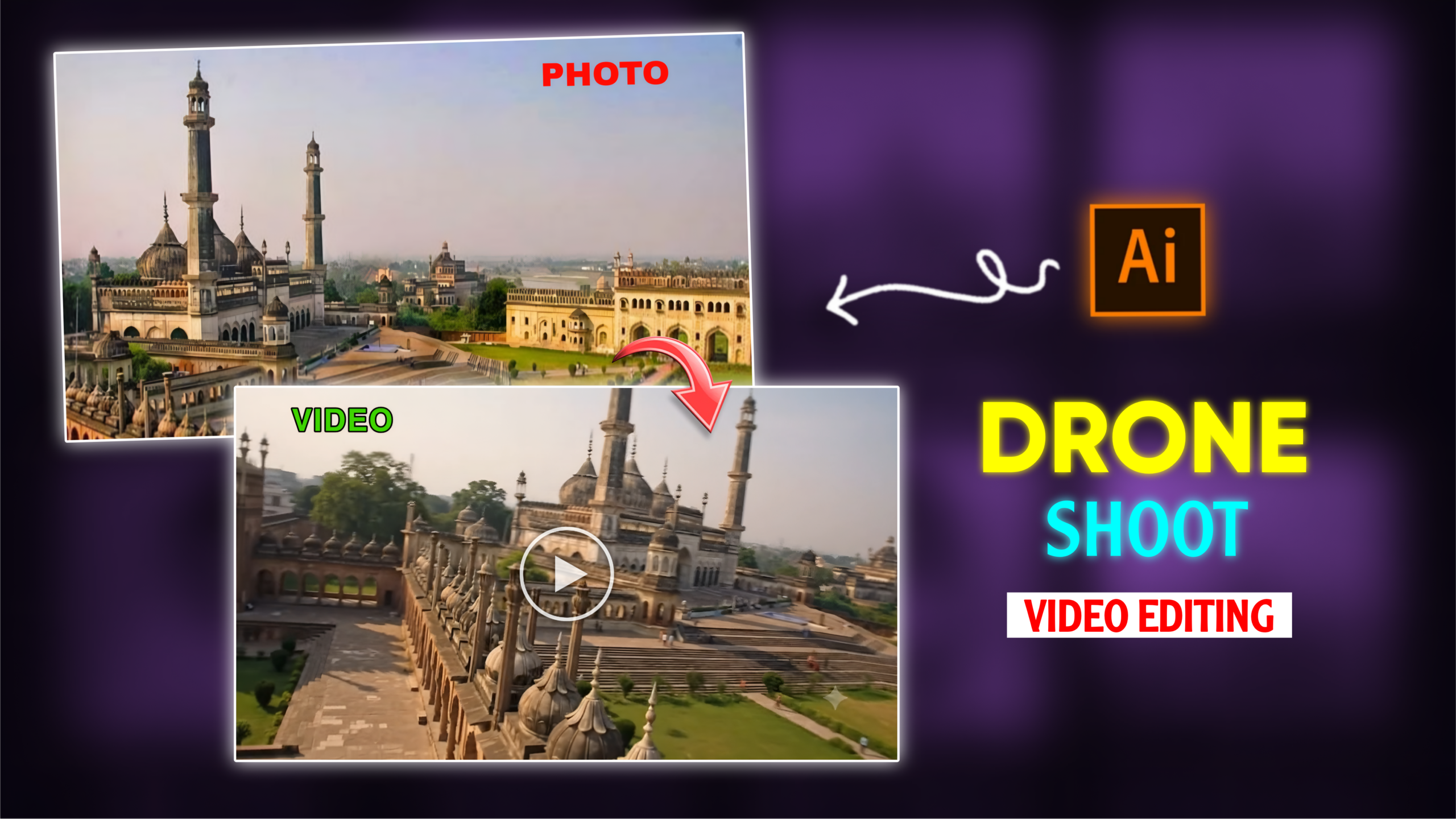
Ai Drone shot video Editing
Nowadays, almost everyone wants to shoot photos and videos professionally. People also want their posted videos to garner high numbers of views, subscribers, likes, and followers. To make their content go viral, people are experimenting with various shooting styles. Creating professional-quality videos often leads to higher view counts and viral success. Among the many types of videos currently trending on social media platforms, “AI Drone Shot” video editing stands out. With this technique, you can transform a single photo into a professional-looking drone shot video with just one click, thanks to AI technology. Many of us dream of having a drone-shot video, but the high cost involved often prevents that wish from coming true. However, with the advent of AI, you can now simply take a photo with your smartphone and convert it into a drone-style video. In this article, I will explain everything: what this type of video editing is, why it is so popular, what is required to create these videos, and how you can do it yourself. I will cover all the details thoroughly, so please read this article carefully from start to finish without missing a thing. Let’s get started!
What is AI drone-shot video editing?
Friends, AI drone-shot video editing is currently one of the hottest trends in video editing, frequently seen on social media platforms—especially in Instagram Reels. You can take a simple photo with your phone and transform it into a professional-looking drone-shot video using AI. For instance, if you snap a photo of your house with your phone, AI can convert it into a video that looks like it was filmed by a drone. You can do this with photos taken at any location. Since these videos are going viral, creating one from your own photo using AI and uploading it to social media gives you a high chance of going viral yourself. In these AI-generated drone videos, artificial intelligence animates a still image or a standard video to make it appear as though it was captured by a real drone camera. Because they look so realistic, people really love them. They effectively capture the characteristics of actual drone footage—such as the camera moving up and down, shifting between slow and fast motion, and utilizing various angles. You—or anyone else—wouldn’t be able to tell the difference between a video shot with a real drone and one created with AI. That high level of realism is exactly why these videos have become so popular.
Why is AI drone-shot video editing so popular?
There are several reasons behind the popularity of AI drone-shot video editing:
1. Professional-looking footage—
Nowadays, everyone wants to present themselves uniquely to others. People are more focused on how they represent themselves professionally on social media than in real life. With this type of AI drone-shot video, you can create a professional-looking drone video from just a single photo with a single click. The resulting videos look so authentic that it is hard to distinguish whether they were shot in real life or created using AI.
2. Viral social media trend—
Drone-shot videos created with AI are currently going viral across various social media platforms. Since these videos look incredibly realistic, people really love them. Because they are going viral and reaching a wide audience, seeing one person post such a video inspires others to create and share their own. This contributes significantly to their popularity.
3. Advantages of AI—
Previously, creating a professional drone video required a lot of effort and hard work. However, the advent of AI has completely eliminated that hassle; you no longer need to put in so much work. You simply need to take a photo of the location you want to feature in the drone shot and feed it to the AI; within moments, the AI generates the video for you.
4. No need for expensive drones—
To shoot drone footage, you would normally need to own a drone or pay to rent one, which can be quite expensive. Now, however, you can create a professional-looking drone video at absolutely no cost with the help of AI.
There are various other reasons behind the popularity of AI drone-shot video editing as well.
What do you need to create this type of AI drone-shot video, and how is it done?
Friends, you won’t need many things to edit this kind of video; the essentials are:
1. A photo taken on your phone (of the location where you want the drone shot).
2. An AI prompt.
3. An AI app or website.
Transform the uploaded image into a realistic
cinematic FPV camera flight. Follow the exact
path I draw on the image, beginning at the first
 point and ending at the last, while keeping the
drawn line completely invisible in the final
 video. The drone itself must never appear on
screen. Preserve the original scene, subjects,
lighting, colors, and composition without changes.
Create smooth, natural camera motion with realistic
speed, gentle banking, accurate altitude shifts,
immersive parallax, subtle motion blur, and seamless
 stabilization. Do not generate any new route beyond
 my invisible drawn path.
By using these three things, you can create this trending video.
So, friends, I am providing the prompt for this video editing below, along with the link to the website where you can create the video; afterwards, I will explain the process of making it.
First, take a photo of the location where you want the drone shot to be simulated. Then, go to your phone’s gallery, select the photo, and tap on the ‘Edit’ option. Look for the ‘Draw’ tool and select it; then, draw a line over the specific area of the photo where you want the drone to travel—essentially, the path or view you want to capture. Next, open Google Gemini AI or Flow AI. Upload your photo to the AI tool, copy the prompt I provided earlier, paste it into the prompt input field below the photo, and hit send. Your video will be generated shortly. Finally, save the video. That is how you can create your own video.
Overall –
Friends, this AI drone-style video editing utilizes artificial intelligence to create the footage. You do not need to actually shoot any video to achieve this effect. Simply take a photo of the location you want to feature—the place you wish to capture with a drone—and feed it into the AI tool; paste the appropriate prompt, hit send, and your video will be generated. Videos of this kind are currently going viral; if you create such a drone-style video from a photo using AI and post it on social media platforms, there is a very high chance your video will go viral too.
