
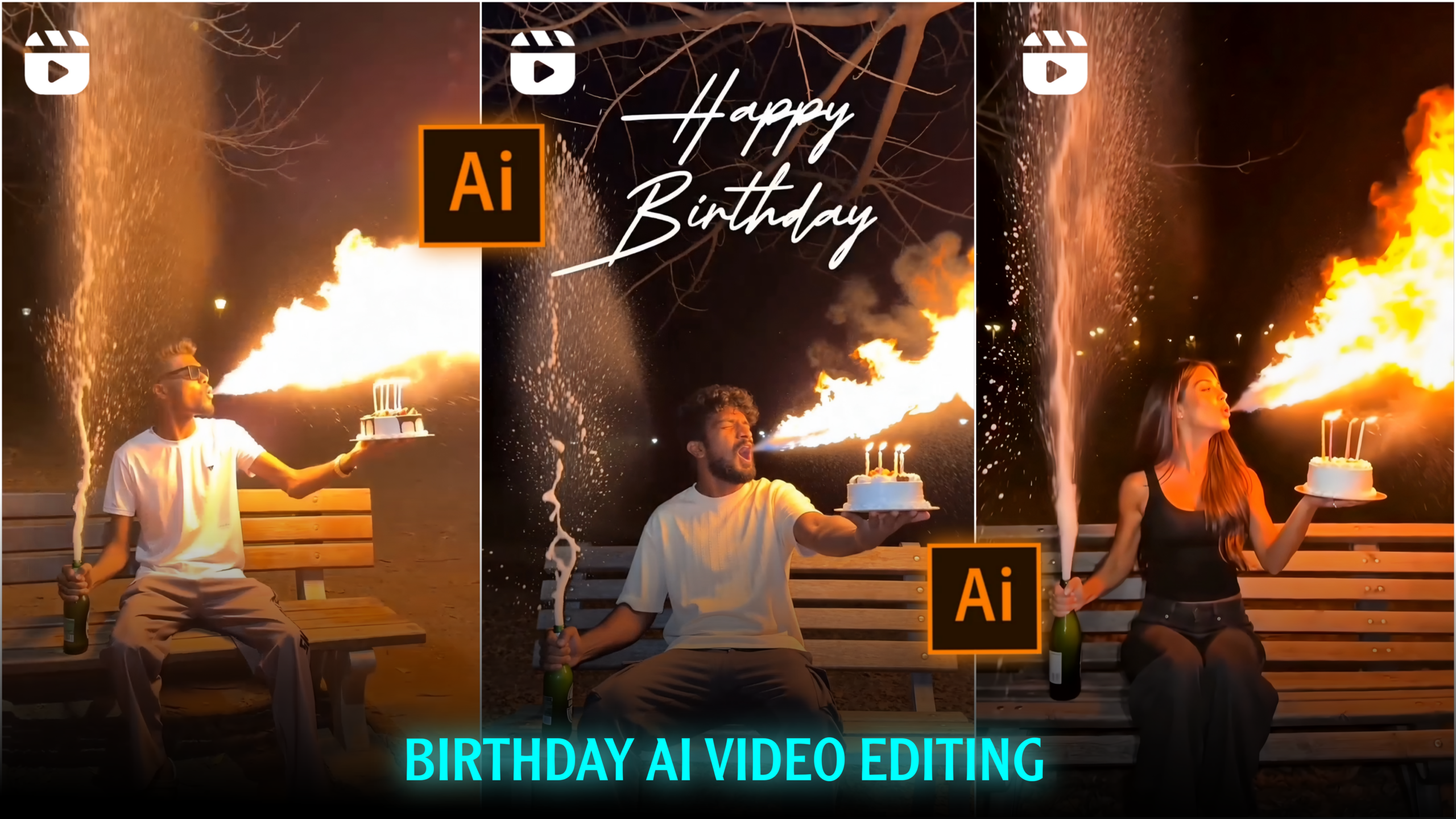
Fire cake Birthday Ai video editing
Friends, you are likely aware of the growing importance and popularity of AI video editing these days. Various AI-generated videos—often in the form of Shorts or Reels—are going viral on platforms like Instagram, Facebook, and YouTube, providing great entertainment and capturing people’s interest. Currently, the “Fire Cake Birthday” AI video is a major trend on Instagram Reels. People are creating these videos for their own birthdays, and the best part is that they can be generated with just a single click using AI; no strenuous effort is required. The AI meticulously coordinates effects, colors, backgrounds, and outfits to create a visually stunning and engaging video. When the birthday person creates and uploads these videos to Instagram Reels, they often go viral, garnering a huge number of likes, comments, and shares. Since everyone is making them, I thought I would teach you how to do this editing as well—which is why I’ve put together this article. If you want to create a viral video like this for your own birthday, please read this article carefully from start to finish. So, let’s get started!
What is Fire cake Birthday Ai video editing ?
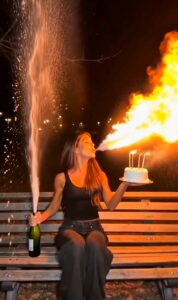
Friends, the “Fire Cake” AI birthday video edit is currently one of the trendiest styles of video editing. These videos have gained immense popularity on social media, particularly on Instagram Reels. These special birthday videos are created using Artificial Intelligence to make them visually captivating. They feature elements like fire effects on the birthday cake, lighting, sparks, smoke, cinematic color grading, and other visual enhancements. The specific style that has become most popular involves the person appearing to breathe fire from their mouth. Here is a step-by-step breakdown of the video: it begins with the birthday person walking in from the side and sitting on a park bench. They hold a beer bottle in one hand and a birthday cake in the other. After sitting down, they vigorously shake the beer bottle while blowing out the lit candles on the cake. Then, they open the bottle, causing the beer to spray upwards, while simultaneously appearing to breathe fire from their mouth as they blow. Finally, the beer scatters all around. This entire sequence has really resonated with audiences. Consequently, creators—both big and small—who make and upload these videos to their social media profiles are seeing them go viral. If you create videos in this style, there is a very high chance yours will go viral too.
What do you need to create this “Fire Cake” birthday AI video?
Friends, you don’t need much to create this type of “Fire Cake” birthday AI video. I have listed the specific requirements below:
1. Your Photo
Friends, to create these birthday videos, you need a clear photo. If you already have one, you can use it. If not, you can simply take a photo with your phone—whether it’s a selfie or a shot taken with the rear camera.
2. A Video Editing Prompt
Friends, to create these videos using AI, you will definitely need a prompt. You can write the prompt yourself if you wish; however, if you do, make sure to include details about exactly how you want each element to appear in the video. The more detailed and well-crafted your prompt is when explaining your vision to the AI, the better the result will be. If you aren’t comfortable writing a prompt, I have provided one below that you can use and customize to your liking. I will explain exactly where to customize it within the article, so please read the entire post carefully from start to finish.
THE PROMPT 👇
Use my uploaded photo as the only identity
 reference. Keep the person's face 100% identical.
Do not change the original outfit, hairstyle,
 accessories, or body proportions. Static camera,
one continuous 6-second vertical 9:16 shot in an
ultra-realistic night park. The person enters the
frame, walks directly to the bench, clearly sits
down on the bench, then remains seated while holding
the birthday cake with lit "22" candles without
placing it on the bench. While seated, they briefly
shake the champagne bottle, then forcefully strike its
base against the bench. At the exact same instant,
they lean forward and blow out the candles as the cork
pops. A powerful champagne fountain erupts while their
breath transforms into realistic cinematic fire with sparks,
 smoke, embers, and volumetric lighting. Perfect
 synchronization, no text, watermark, or extra people.
CREATE VIDEO
3. An AI App or Website
Friends, you will also need an AI tool to edit these videos. Currently, the most popular AI tool for this type of video editing is “Flow AI.” It allows you to create several videos for free every day. If you want to create an unlimited number of videos, you will need to purchase a subscription. I have provided the link to Flow AI above; simply click on “Create Video” to access the platform.
You can easily create a trending birthday video using these three things.
How do you create this “Fire Cake” AI birthday video?
To create this type of video, simply click on the prompt I provided earlier. Then, look for the “Create Video” option just below the prompt and click on it. This will open the Flow AI website. If you haven’t visited Flow AI before, you will need to sign in first to create the video. Signing in is very easy; you can use any email address from your device. Once signed in, look for the “New Project” option and click on it. Next, upload your photo. After uploading the photo, paste the prompt you copied (or will copy) from my website into the designated area. Where the prompt specifies “Age,” type in your own age—for instance, the prompt I provided lists “22,” so replace that with your actual age. Finally, click the “Send” or “Generate” button. Your video will be ready in a short while. By following these simple steps, you can create your own trending birthday video.
Overall –
Among the various AI video editing trends currently circulating on social media, the “Fire Cake Birthday AI Video Editing” style has become incredibly popular. People are using AI to create these special birthday videos, and those who upload them—especially as Instagram Reels—are seeing their content go viral. In this article, I have explained the entire process and provided a step-by-step guide on how you can create this trending birthday AI video. If you create such videos using AI and post them on your social media accounts, there is a very high chance they will go viral. That’s all for today’s article; see you in the next one!
