
Trending Aura Face Photo Editing Prompt
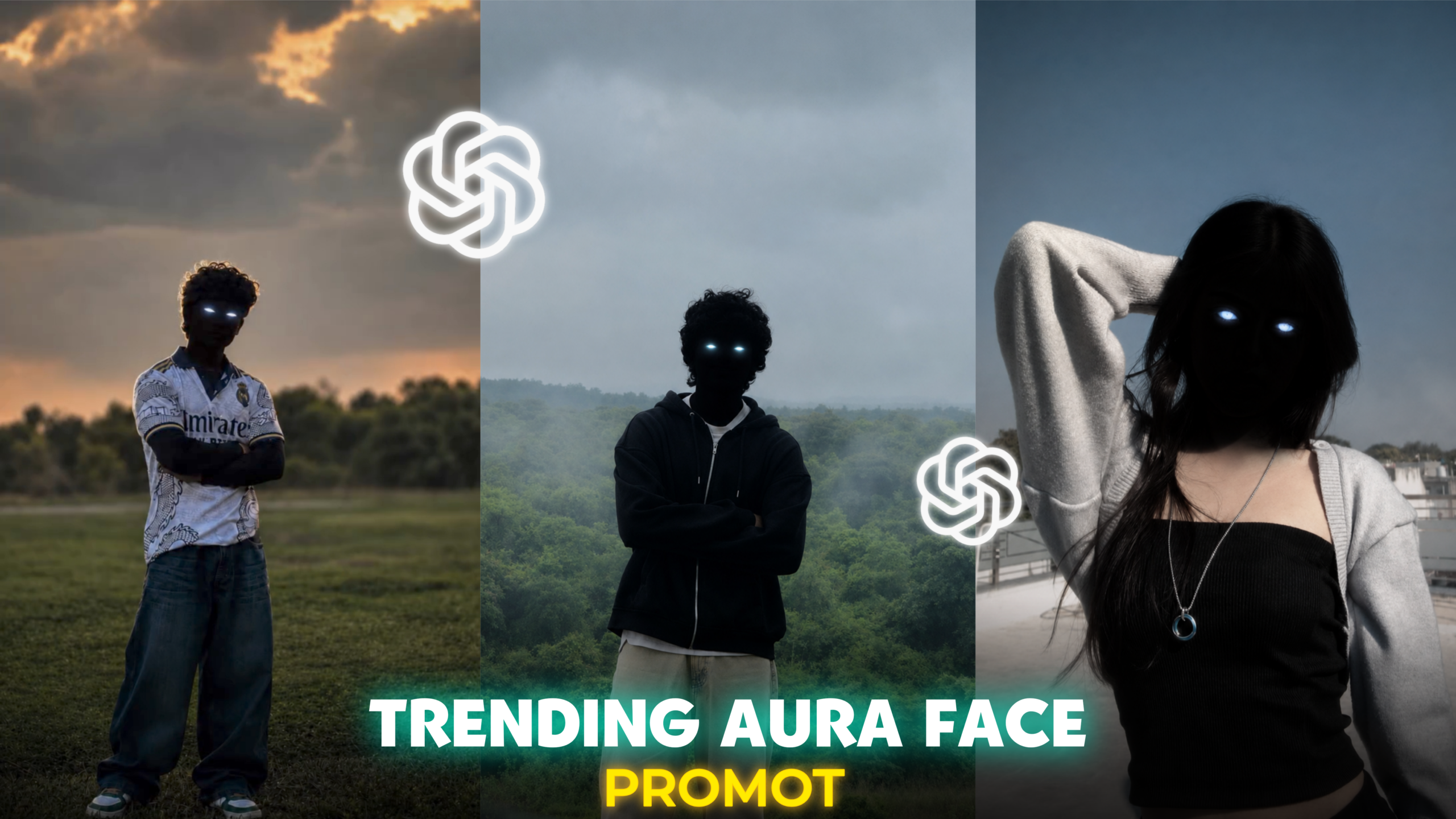
Hello friends! I hope you are all doing well. I am back with another new article for you. As you can likely tell from the featured image, today’s article focuses on a specific photo editing tutorial. You are probably aware that various AI photo editing styles are currently going viral across social media platforms like Instagram, WhatsApp, and Facebook. Among these, the “Trending Aura Face Photo Editing” style has spread rapidly among users. In this style, the subject’s face is shrouded in a dark shadow, creating a powerful, cinematic, and mysterious look. Even though the face is largely obscured, glowing white and blue lights are added to the eyes. Thanks to AI, creating these images has become incredibly easy. If you provide the AI with a well-crafted prompt along with your photo, it will transform your image into this “Aura Face” style with just a single click in a matter of seconds. That is why this specific editing trend has become so popular on social media. In today’s article, I will provide a step-by-step guide to help you master this editing technique. If you want to learn this style easily, be sure to read this article carefully from start to finish; doing so will ensure you pick up the technique without any trouble. So, let’s get started with today’s article.
What is ‘Aura’ face photo editing?
Friends, ‘Aura’ face photo editing is an aesthetic style popular in the current digital era, where the facial area of the subject is completely shrouded in black shadow, while the eyes are illuminated with bright white and blue light. Furthermore, this editing style incorporates a dark, foggy, cinematic look that makes the photos even more captivating. This trend is currently hugely popular among Gen Z. You can easily create these types of photos using AI tools like ChatGPT, Gemini AI, and Leonardo AI.
What is the “Aura Face” photo editing prompt?
Friends, the “Aura Face” photo editing prompt is a text instruction given to AI that allows you to easily transform an ordinary photo into a striking “Aura Face” image in just a few seconds. You can write your own prompt for this edit if you wish. The more clear, specific, and detailed your prompt is, the better the result—meaning the AI will produce a more flawless edit. However, if you prefer not to write the prompt yourself, I am providing a ready-to-use one below that yields excellent results; I have used this exact prompt for my own photo editing. So, go ahead and copy the prompt, and then I will explain how to use it to edit your photos.
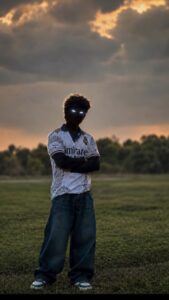
THE PROMPT 👇
Create a dark cinematic portrait from
 my photo. Keep my exact face, hairstyle,
 body shape, pose, outfit, skin tone, and
 identity unchanged. Turn only the visible
 area from the neck up (head, face, ears,
 exposed neck) into a deep black shadow
 silhouette with realistic contours. No
facial features visible except glowing
white-blue eyes. Leave all body parts
below the neck completely unchanged.
Keep the original background intact and
add only subtle natural fog in the
 background for depth. No smoke, aura,
 sunset, or extra objects. Ultra-realistic,
 high contrast, sharp details, cinematic
lighting, 4K.
How to Use the Trending Aura Face Photo Editing Prompt
To use this trending Aura Face photo editing prompt, first open any AI tool—such as ChatGPT, Gemini, or Leonardo AI—on your device. You can use either the app or the website for these services, as the functionality is the same for both. Go ahead and open one of these AI tools; the process for creating the photo is largely the same across all of them, with only minor differences. Personally, I prefer using ChatGPT because it delivers a very realistic look, but you are free to use whichever AI you like. Once the AI is open, select the photo you want to edit and upload it. After uploading, copy the prompt I provided, paste it below your photo in the AI interface, and click the ‘Generate’ or ‘Send’ button; the AI will then create your photo within a few moments.
Complete Guide to Trending AI-Based Face Editing –
Friends, to create these types of AI face edits, always use a clear photo where your face is easily recognizable. This allows the AI to analyze your face accurately, ensuring your facial features remain unchanged during the editing process. A common issue encountered when using AI for photo editing is that the face often gets altered; however, if you use a clear photo as I suggested, you will achieve excellent results. For even better outcomes, you can add the phrase “Please don’t change my face” to the end of your prompt. Following these steps will yield great results. After generating the image with AI, you can apply color grading to give the photo a more attractive look. Lightroom is the best app for color grading on mobile, while Photoshop is the ideal choice for desktop users. By applying a bit of color grading to your AI-generated photo using these tools, you can make the image look even more appealing.
Why is “Aura” face editing so popular right now?
Well, Gen Z tends to follow various modern and international styles, always seeking to present themselves in a unique way. “Aura” face editing offers exactly that—a modern, aesthetic style that allows them to showcase a distinctive look. These edits have gained immense popularity on social media, especially Instagram, because they lend a unique aesthetic vibe to photos. When young people create these AI-generated images and share them, others see the results and feel inspired, wanting to transform their own ordinary photos with this “Aura” style. Moreover, creating these images easily with AI and posting them—or using them in Reels—leads to a flood of likes, comments, and shares, which in turn boosts follower counts and profile reach. That is why I decided to create this article: to teach you how to do this trending photo edit yourself.
Features of Trending Aura Face Photo Editing –
Some features of this Aura face photo editing are listed below:
Dark black face shadow
Blue and white glowing lights
Cinematic dark, faded background
Dreamy fog effect
Dramatic shadows
Realistic Aura effect
Moody color grading
Sharp details
Professional portrait look
And more.
The Future Popularity of Aura-Style Photo Editing –
Just as Aura face photo editing is currently trending and highly popular, other variations of Aura-style photo editing are set to gain even more popularity in the future. Today’s youth are constantly seeking distinct and unique styles. Consequently, they are actively following and creating Aura-style photos, and we can expect even more advanced, unique styles of this editing to emerge. If any new photo editing trends arise, I will certainly inform you through a new article, so please continue to visit my website regularly.
Conclusion –
The “Trending Aura Face Photo Editing Prompt” is currently a major trend in the world of AI photo editing, enjoying immense popularity among users. By using the prompt I have provided, you can create an edit that looks exactly like the one featured in this article’s header image. This style stands out as a unique form of aesthetic photo editing that has gone viral on social media. It is currently very popular, and this type of “aura-style” editing is set to gain even more traction in the future.
