
Trending Football Poster Editing
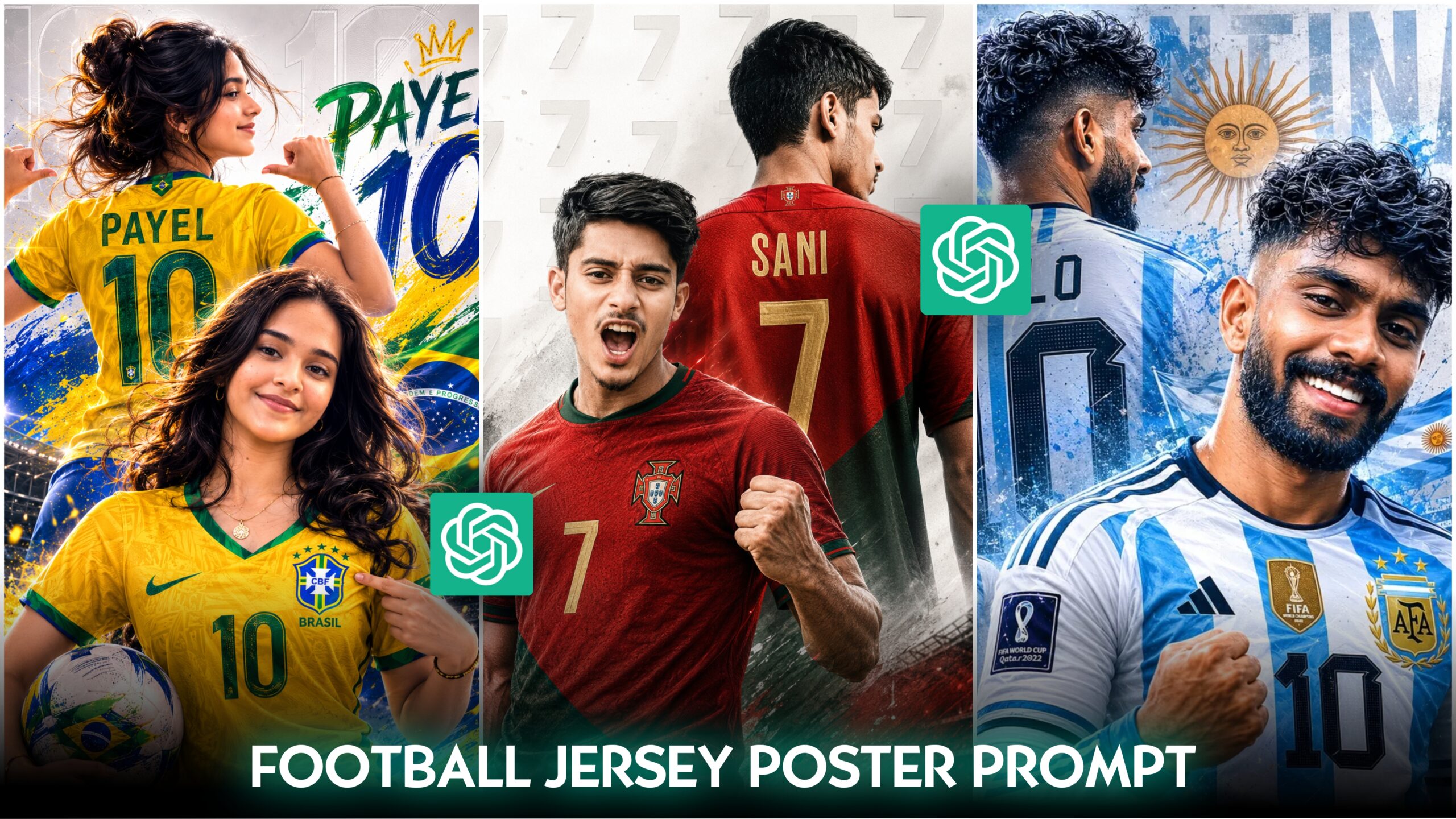
Hello friends, how are you all? I hope you are doing well. As you have likely gathered from the featured image of this article, today I am going to teach you something exciting. You may have noticed that football poster-style photo editing is currently trending everywhere—on Instagram, Facebook, and WhatsApp. You probably also know why this style has gone viral: the 2026 FIFA World Cup is approaching, and fans are creating posters featuring themselves wearing the jerseys of the teams they support. They aren’t creating these manually through complex editing; instead, they are using AI to generate these trending football posters in just one click and very little time. These designs aim to replicate the look of professional football players seen in various promotional posters. Creating such images with AI has become incredibly easy. In this article, I will show you how you, too, can create these poster-style photos with just a single click. Be sure to read this article carefully from start to finish so you can easily learn this editing technique. Let’s get started!
What Trending Football Poster Editing ?
As you know, the FIFA World Cup is returning after four years, and excitement for the sport is at an all-time high. Fans are using AI to transform their ordinary photos into trending football posters featuring the jerseys of the teams they support. A football poster design essentially takes a standard photo of a person and gives them the appearance of a football superstar. These posters provide a premium look by expertly adjusting elements like the background, jersey number, lighting, and cinematic effects. This process makes an ordinary photo look like it belongs in a premium sports magazine. Almost everyone is creating these types of FIFA World Cup posters—and why wouldn’t they? After all, AI makes it incredibly easy to do so now. You can do it too; in this article, I have clearly explained how to edit these trending football posters. Just read the article carefully to the end, and you will learn how.
What is FIFA?
The full form of FIFA is *Fédération Internationale de Football Association*. It is the supreme international governing body for football, established in 1904, with its headquarters located in Zurich, Switzerland. Currently, FIFA oversees over 200 international football competitions. Among them, the most popular event is the FIFA World Cup, held every four years. The previous World Cup took place in 2022, featuring a final match between France and Argentina, which Argentina won. The inaugural FIFA World Cup was held in 1930; the final was contested between Uruguay and Argentina, with Uruguay emerging victorious. Because it takes place every four years, the tournament holds a special appeal for football fans. Its popularity is immense today, and it is expected to grow even further in the future.
Why Trending Football Poster Editing is Currently Popular –
Football is a hugely popular sport for billions of people worldwide, especially the FIFA World Cup. With the tournament returning in 2026 after a four-year hiatus, fans are using AI to create trending football posters with just a single click to showcase their passion. Those who create these images and share them on Facebook, WhatsApp, and Instagram—or upload videos/Reels made from them—are seeing their content go viral. These posts garner significant likes, boost follower counts, and increase profile reach. Moreover, creating these images requires minimal effort; thanks to AI, users can generate them quickly using a simple prompt and a single click.
What is a prompt?
Friends, a “prompt” is essentially the text you write to an AI to let it know exactly what you want it to do or create. The better, more precise, and clearer your written prompt is, the better the results you will get from the AI. For today’s training on football poster editing, I am providing you with a ready-to-use prompt that will yield excellent results.
How to create your own photo using this prompt:
Friends, using the ready-to-use prompt I’ve provided above, you can create photos for various teams—not just one. You simply need to make a few minor adjustments to the prompt. Below, I have outlined the step-by-step process for creating these types of photos using AI.
THE PROMPT
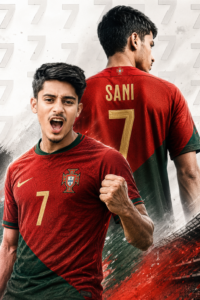
Create a high-end ultra-realistic football poster using the uploaded photo. Transform the person into the main football star in the foreground, showing intense passion, confidence, and competitive energy in a powerful action pose. Preserve the face accurately with sharp focus, detailed skin texture, dramatic stadium lighting, and professional sports-poster quality. Behind the subject, add a large back-view version wearing the official [TEAM NAME] jersey. Write [YOUR NAME] above the number [JERSEY NUMBER] on the back in authentic team style. Use the official colors, badge-inspired design, and visual identity of [TEAM NAME]. Include a clean white-gray background with repeated jersey number patterns, depth effects, dynamic shadows, realistic fabric folds, and premium graphic design elements. Cinematic composition, vibrant colors, ultra-detailed 8K quality, sports magazine cover look, realistic proportions, no extra people, and no text except the specified name and number.
First, copy the prompt from my website. Once copied, open either ChatGPT or Gemini AI. While you can use either, I recommend ChatGPT as it tends to produce excellent results. After opening the AI, select the photo you wish to edit. Paste the prompt and replace the placeholders—[TEAM NAME], [YOUR NAME], and [JERSEY NUMBER]—with the name of the team you support, your own name, and your desired jersey number, respectively. Finally, click the “Generate” or “Send” button, and the AI will create your photo in moments.
By following these simple steps, you can easily create these types of photos for yourself.
Overall—
Friends, this style of football poster editing has become extremely popular on social media platforms like Facebook, Instagram, and WhatsApp. People are now creating these images for themselves with just a single click using AI and a simple prompt. When they share these photos on social media, they receive a great response—garnering plenty of likes, comments, and shares. By following the steps outlined in this article, you can easily transform your own photo into a similar poster design. And friends, if you encounter any issues while doing this kind of photo editing, you can message me directly on Instagram about your problems. Please do not just send a “Hi” or “Hello”; instead, clearly describe the specific issue you are facing so I can immediately understand the problem and try to help you resolve it. I have provided my Instagram link below. So, friends, that’s all for today’s article; see you in the next one.
